New Feature: In-site Stream Player
The In-site Player allows you to watch streams directly within the browser without needing any external extensions or apps. It is compatible with all modern browsers and devices (PC, Android, iOS).
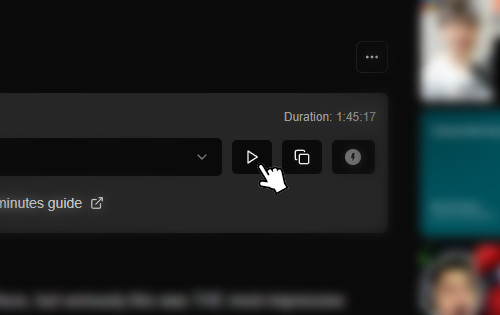
Look for the new "Play" button in the post controls. Clicking it will instantly launch the player.
Usage Limits
Please note that there is a daily limit for this feature. Currently, you can watch up to 20 streams every 24 hours.
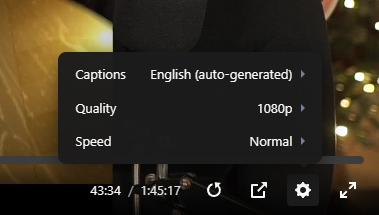
Beta Feature: This feature is currently in Beta. If you experience any playback issues, please report them in our Discord server.
On PC using Browser Extension
To play stream URLs on your Windows, MacOS or Linux, we recommend using an Extension.
Method 1: Using FastStream Extension (Recommended - Easiest)
This method work ONLY with Chromium-based Browser like Chrome, Brave, Edge, Opera, etc.
For Firefox, please use the second method.
This is a modified version of the original FastStream Extension, that automatically plays Patreon Streams without any setup (Very Easy).
Download the extension for Chromium: chrome-dist-faststream_video_player-1.3.45.zip
If the extension asking for updates, ignore it.
And watch this one minute video for setup:
Method 2: Using Tampermonkey Script
This method work with any Chromium based browser and Firefox based browser.
- Tampermonkey Extension for Chromium or Firefox
- Install the Script from Greasyfork
And watch this one minute video for setup:
On Android
Method 1: Using mpvKt (Recommended - Easiest)
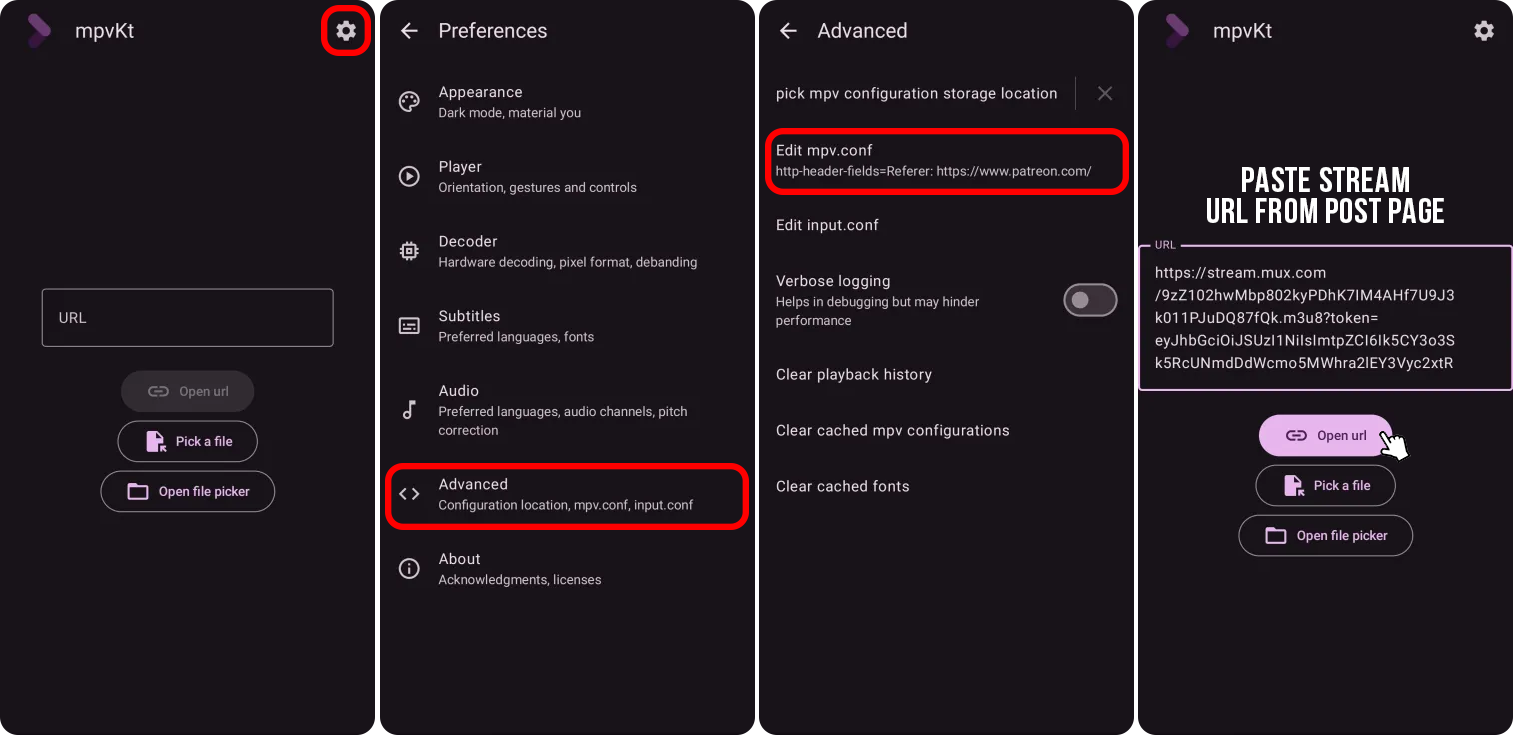
New Method! Follow this steps to play stream using mpvKt:
- Download and install mpvKt from the Play Store.
- Open the app and tap on the "Settings" icon on top right.
- Tap on "Advanced" option, then tap on "Edit mpv.conf".
- Paste this line into the Box and then save.
http-header-fields=Referer:https://www.patreon.com/- Restart the mpvKt app, then paste the stream URL you get from the post page into the Box then click "Open URL".
Note: You only need to do step 1-4 once. Click the image below to enlarge it.
Method 2: Using Firefox Nightly
To play stream URLs on your Android device using Firefox, follow these steps:
- Download and install Firefox Nightly from the Play Store.
- Using the Firefox browser, visit the Tampermonkey page and install the Addon.
- Then visit the Greasyfork Script and install the script.
- Go to the Patreon website (patreon.com), and tap on "Play HLS Stream".
- Paste the stream URL you get from the post page into the Box.
Note: You only need to do step 1-3 once, and the "Play HLS Stream" button will be shown everytime you visit Patreon (patreon.com).
Watch the video for more details:
On iOS
To play stream URLs on your iOS device, follow these steps:
- Download and install Userscripts from the App Store.
- Download our Script and put it in the Userscripts folder.
- Open Safari Browser, Go to "Extensions" and then turn on "Userscripts Extension".
- Tap on "Userscript", and make sure the script is listed there.
- Go to the Patreon website (patreon.com), and tap on "Play HLS Stream".
- Paste the stream URL into the box and tap "Open".
Note: You only need to do step 1-4 once, and the "Play HLS Stream" button will be shown everytime you visit Patreon (patreon.com).
Watch the video for more details: